
Help Center
Learn how to get the most out of Followup
Product Overview
Followup is an AI-powered product management platform built for Product Managers. It brings together user feedback, meeting notes, competitor signals, and internal planning into a single workspace — so PMs can spend less time collecting information and more time making decisions.
Who Is Followup For?
Followup is designed for Product Managers who need to:
- Gather and make sense of unstructured feedback from customers, support channels, and sales calls
- Prioritize features based on real user demand rather than gut instinct
- Stay on top of competitor activity without manual research
- Align their team around a clear roadmap from goal to release
The Three Core Modules
Followup is organized around three modules that mirror the full product management lifecycle.
Plan
Plan is where high-level strategy gets translated into executable work. It uses a three-level hierarchy to keep goals connected to the work being done:
- Objective — The top-level goal your team is working toward (e.g., “Improve onboarding conversion by 20%”)
- Initiative — A major effort that contributes to an objective (e.g., “Redesign the onboarding flow”)
- Feature — A concrete piece of work tied to an initiative (e.g., “Add progress indicator to setup wizard”)
This structure ensures every feature being built can be traced back to a strategic goal, giving PMs a clear way to prioritize and communicate their roadmap.
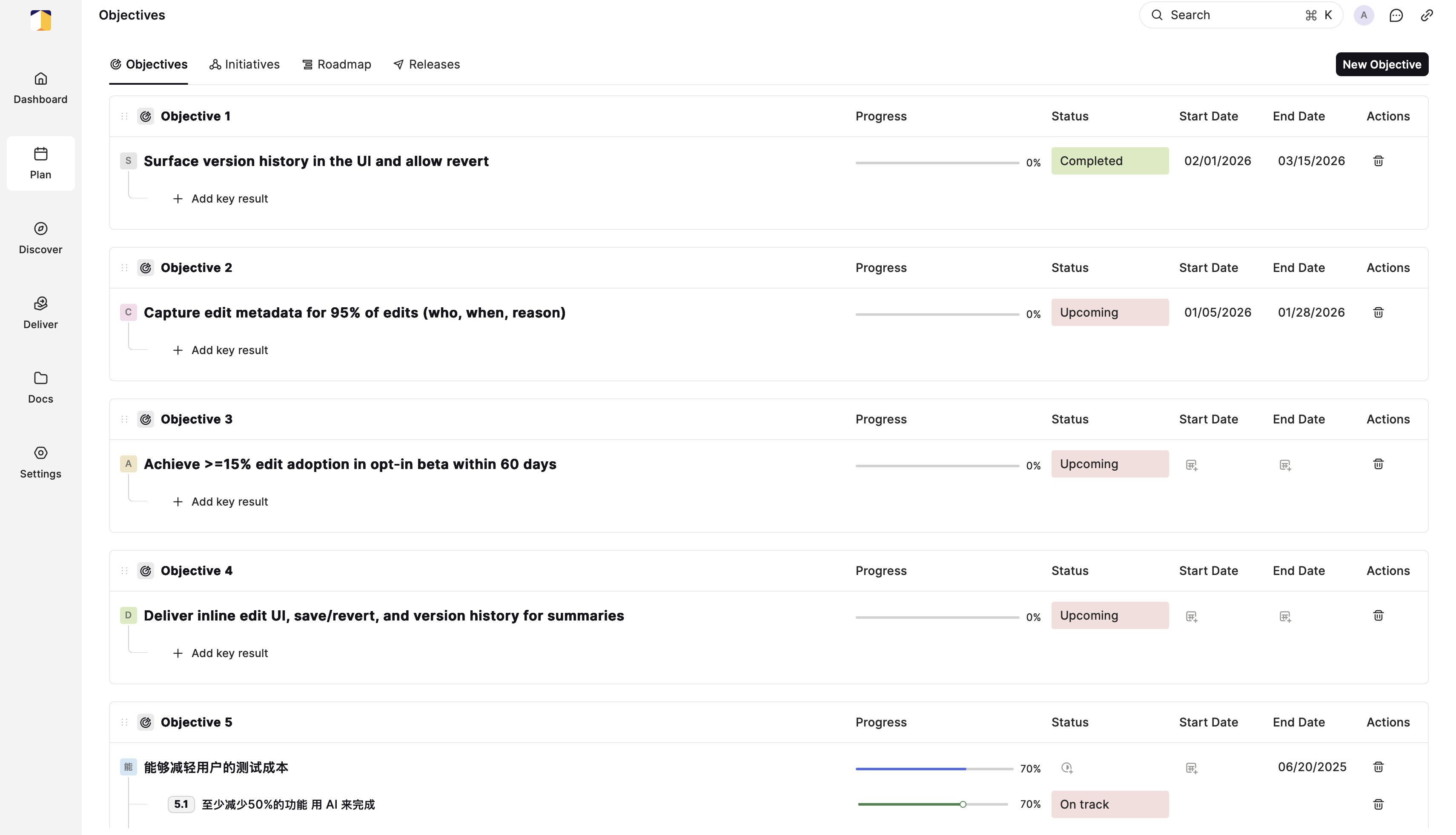
The Objectives view in Plan, showing progress, status, and dates for each strategic goal.
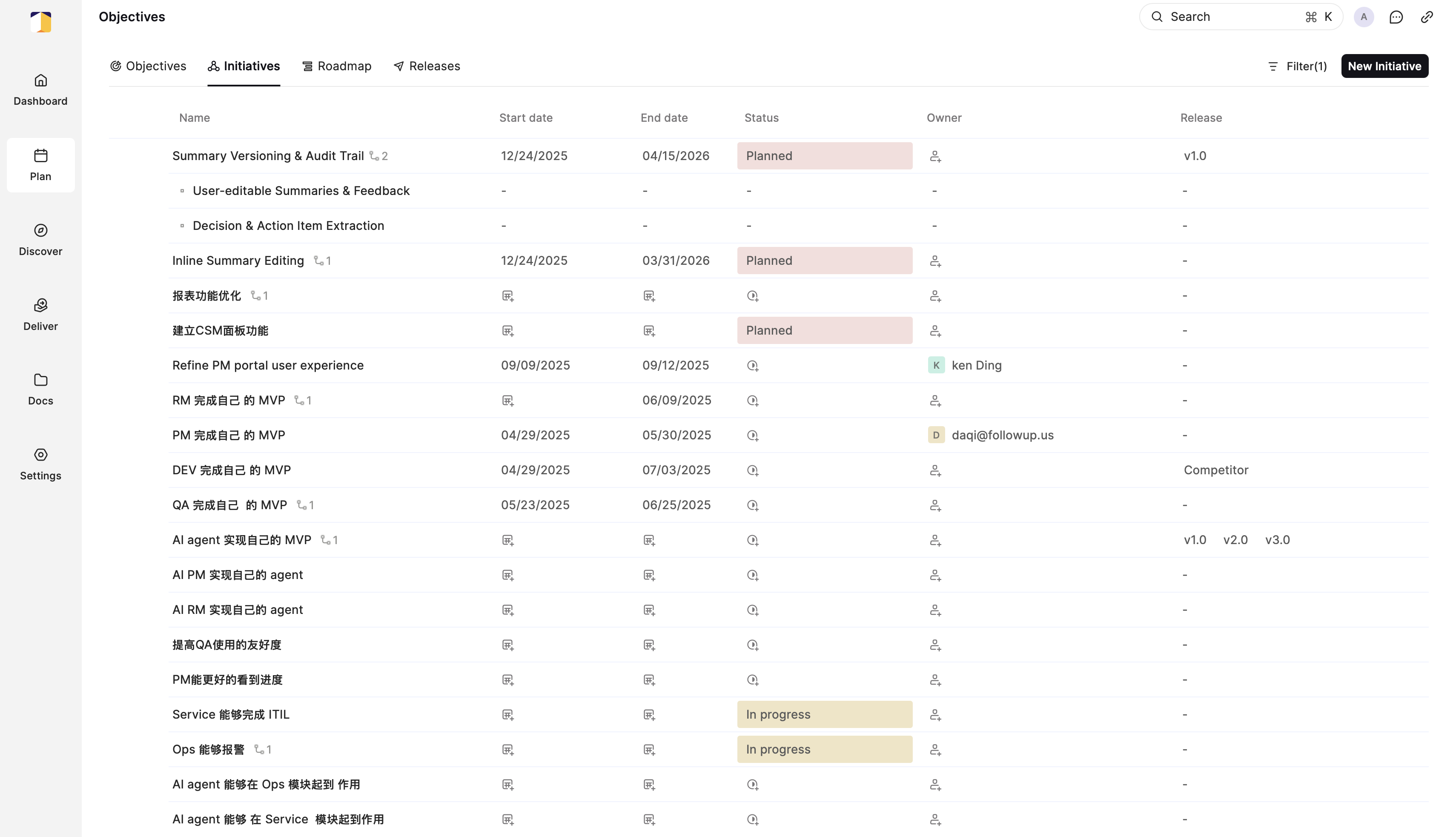
The Initiatives view, listing major efforts tied to each objective along with owners and release targets.
Discover
Discover is the intelligence engine of Followup — and where its AI capabilities are most visible. It handles the messy, unstructured information PMs deal with every day: customer call transcripts, Slack conversations, app store reviews, support tickets, and more.
Discover automatically ingests content from these sources, processes it with AI, and surfaces the patterns and themes that matter most. Instead of manually reading through hundreds of messages, PMs see a synthesized view of user needs, ready to act on.
- Notes — Capture and analyze unstructured meeting notes and call transcripts from sources like Zoom
- Feedback — Aggregate user feedback from multiple channels into a single feed
- Competitor Intelligence — Monitor what competitors are doing and get automated summaries
Deliver
Deliver covers the execution side of product management — features, releases, and roadmaps. PMs use Deliver to organize approved features into releases, track progress, and maintain a clear view of what is shipping and when.
- By Objective — See features grouped by the strategic goal they serve
- By Module — See features grouped by product area or team
These views make it easy to communicate progress to different audiences, whether updating executives on strategic progress or syncing with an engineering team on what is coming next.
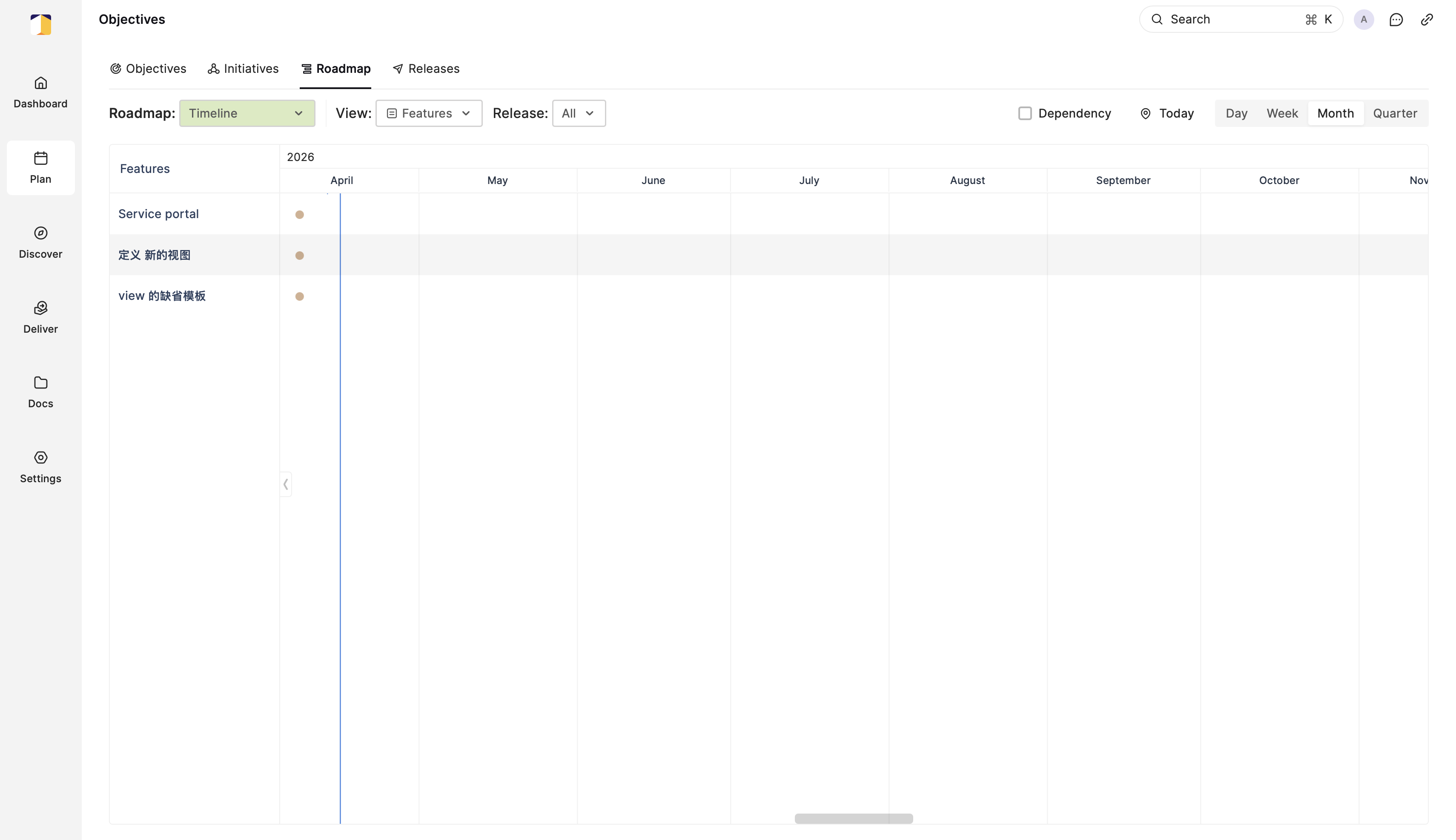
The Roadmap view, displaying features on a timeline across upcoming months.
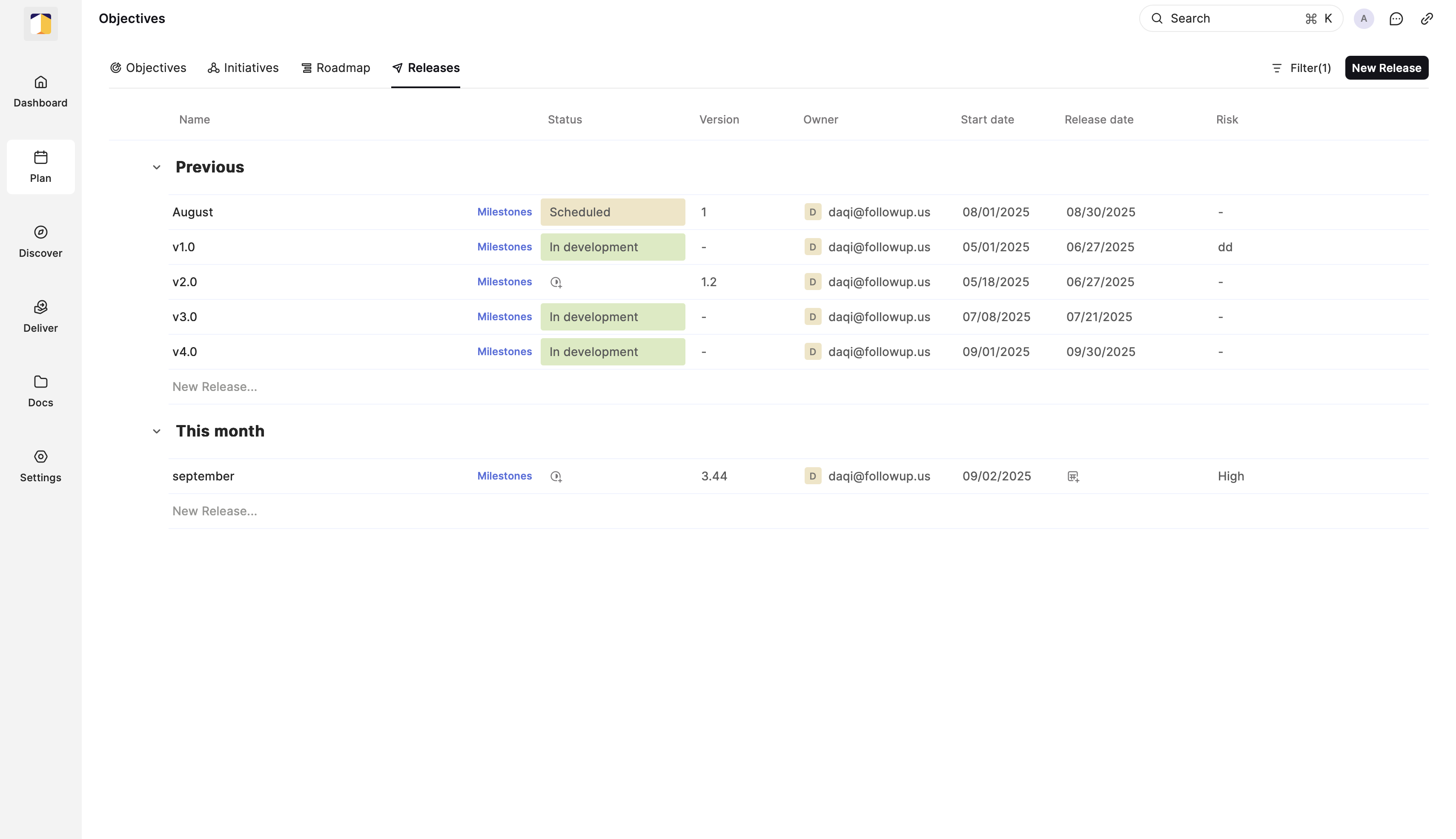
The Releases view, tracking milestone versions and their current development status.
How Followup Creates Value
The core problem Followup solves is information overload. PMs are constantly receiving signals from customers, teammates, and the market — but these signals arrive in different formats, across different tools, at unpredictable times.
Followup centralizes this information and uses AI to make it actionable. A PM can start their day by reviewing a clean summary of what users are asking for, what competitors shipped this week, and what feedback came in overnight — rather than piecing that picture together manually across five different tools.
The platform is designed so that PMs can move fluidly from insight to decision: spot a pattern in feedback, create a feature from it, attach it to an initiative, and add it to an upcoming release — all in one place.
Integrations
Followup connects to the tools PMs and their teams already use, including:
- Zoom — Automatically process call recordings and meeting notes
- Slack — Pull in relevant internal conversations and customer signals
- Google Play & Apple App Store — Aggregate app reviews as user feedback
- G2 & Reddit — Monitor public reviews and community discussions
- Custom Feedback URL — Share a direct link for customers to submit feature requests and vote on others